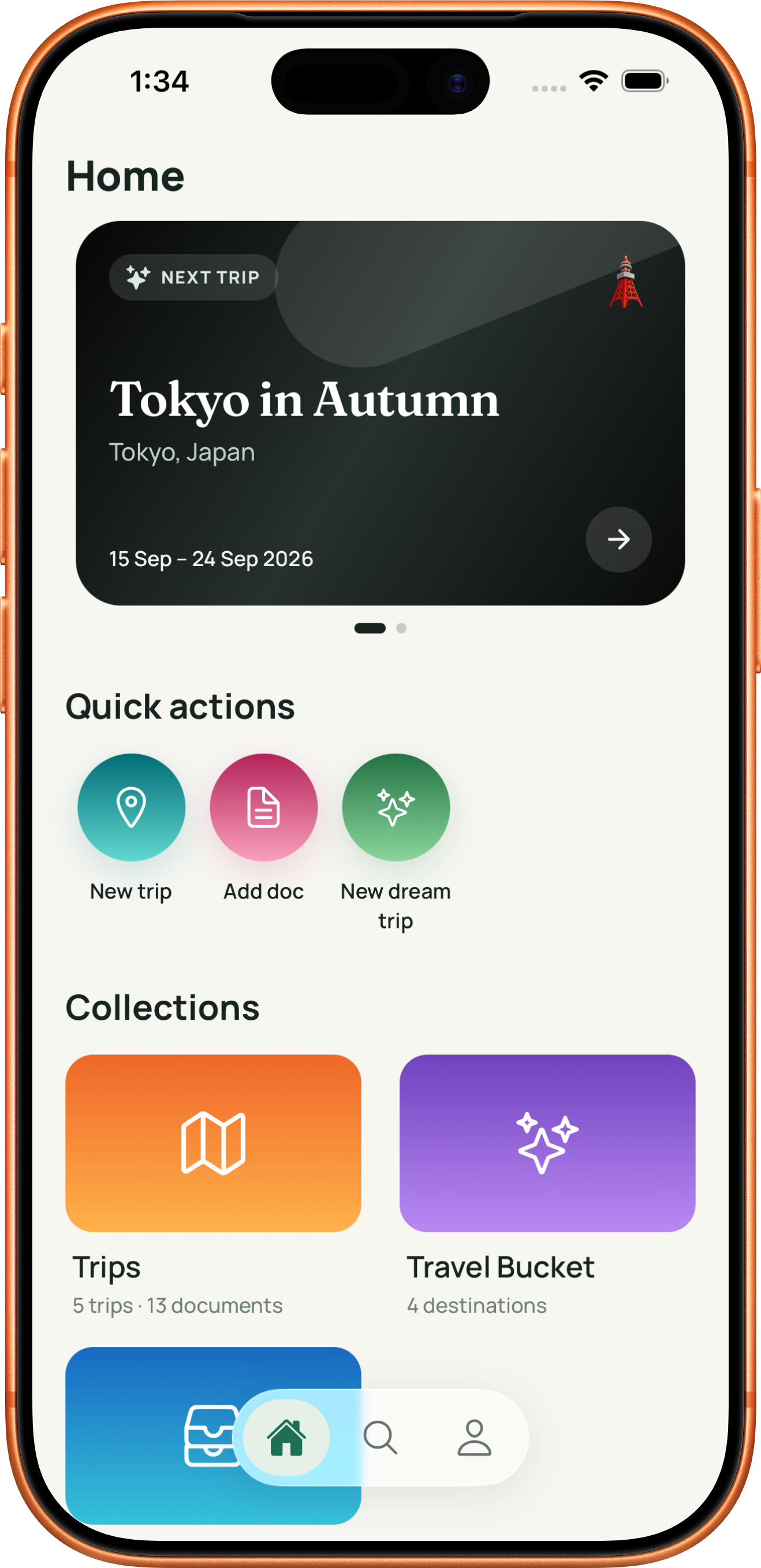
HOME
Know what is coming up.
Home brings the nearest trip and upcoming checklist reminders together. Quick actions make it easy to start a trip, save a document to Vault, or add a future destination.
EVERYTHING IN TROVE
A complete look at the features that keep travel plans, documents, and future ideas private, local, and easy to find.
FEATURES
See how Trove keeps trips, documents, and future plans easy to find.
HOME
Home brings the nearest trip and upcoming checklist reminders together. Quick actions make it easy to start a trip, save a document to Vault, or add a future destination.
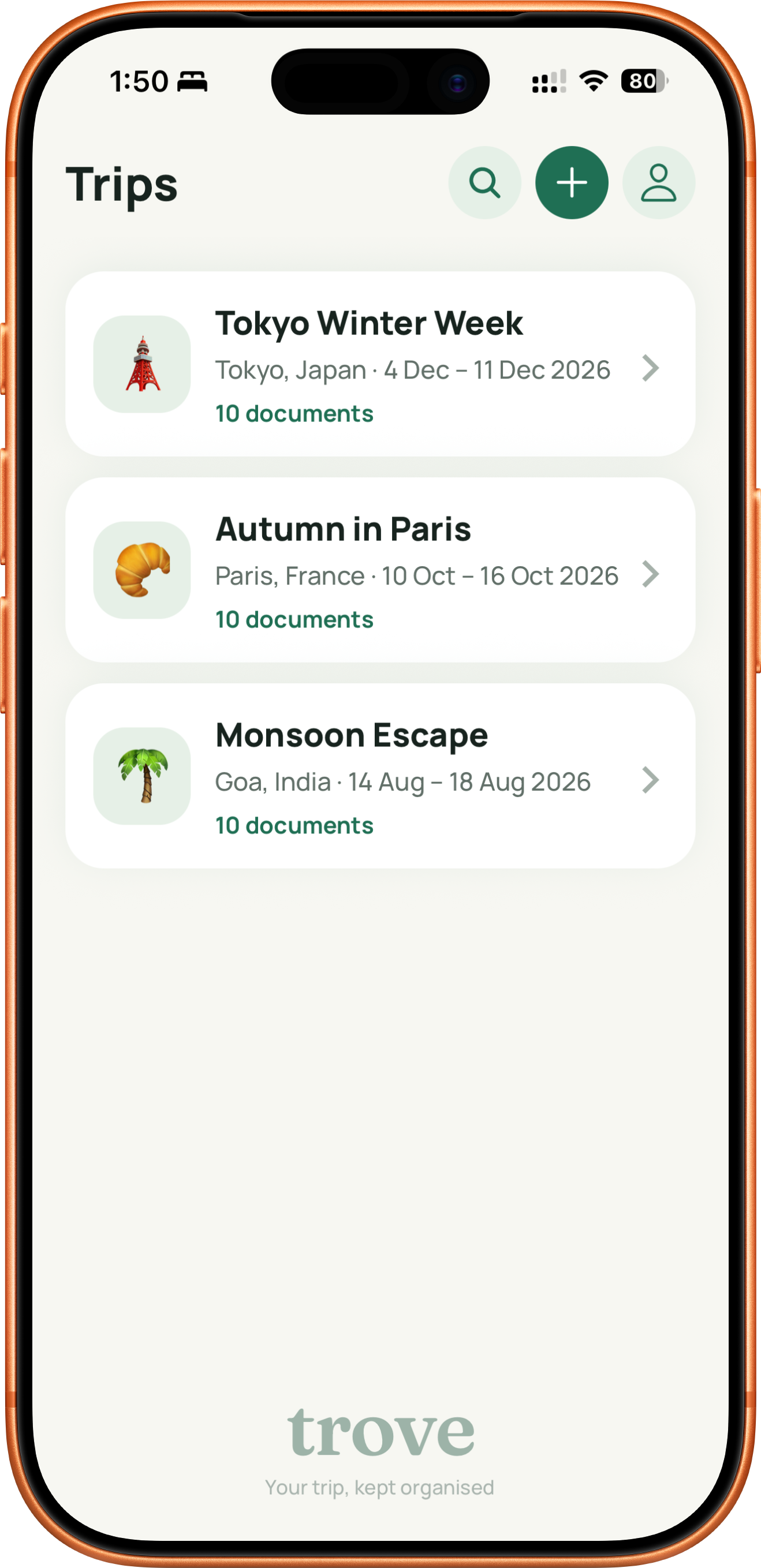
TRIPS
Create a trip with its destination, dates, and icon, then keep the files and preparation that belong to it together. Planned and Completed trips stay in separate lists.
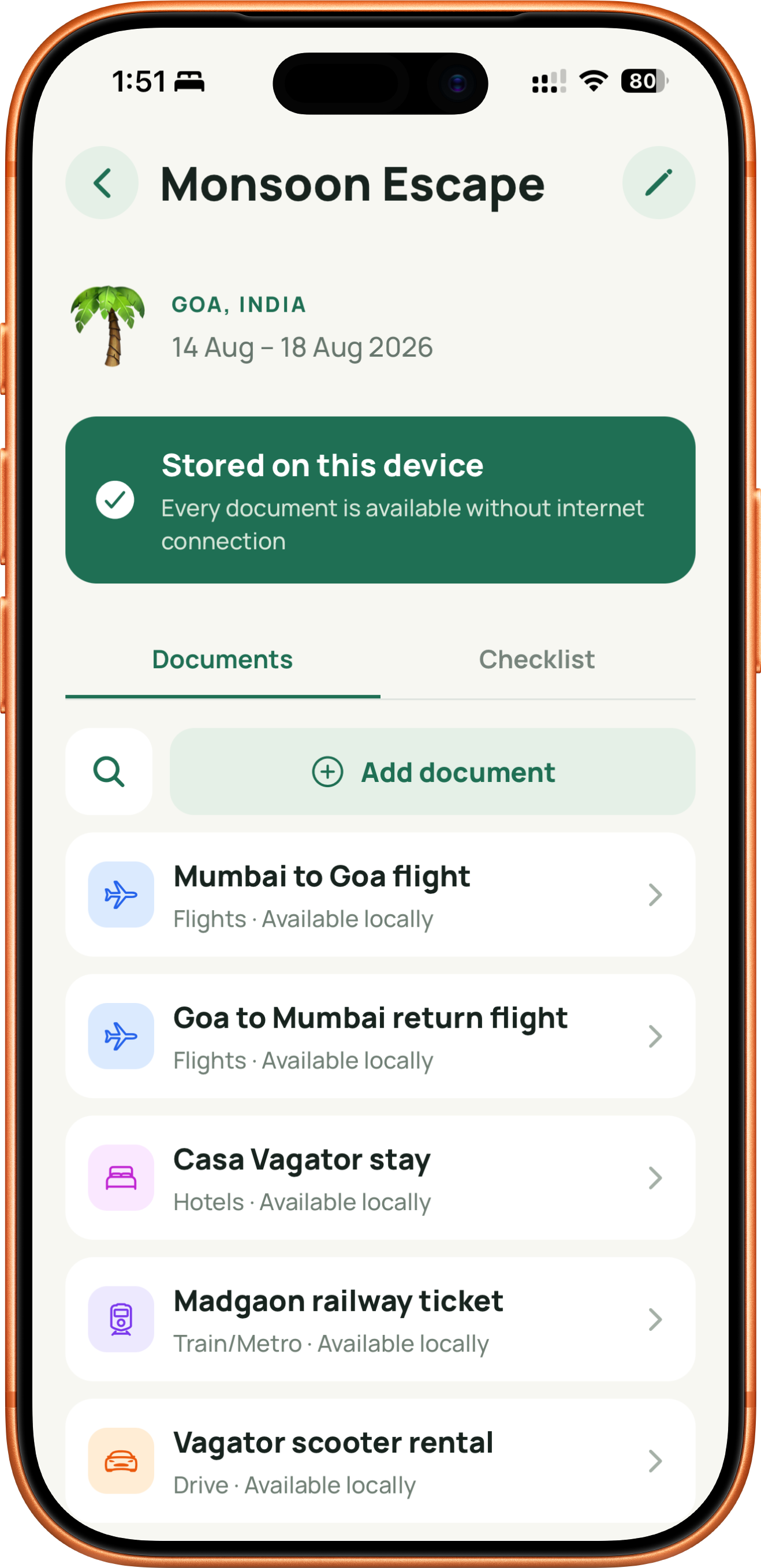
TRIP DOCUMENTS
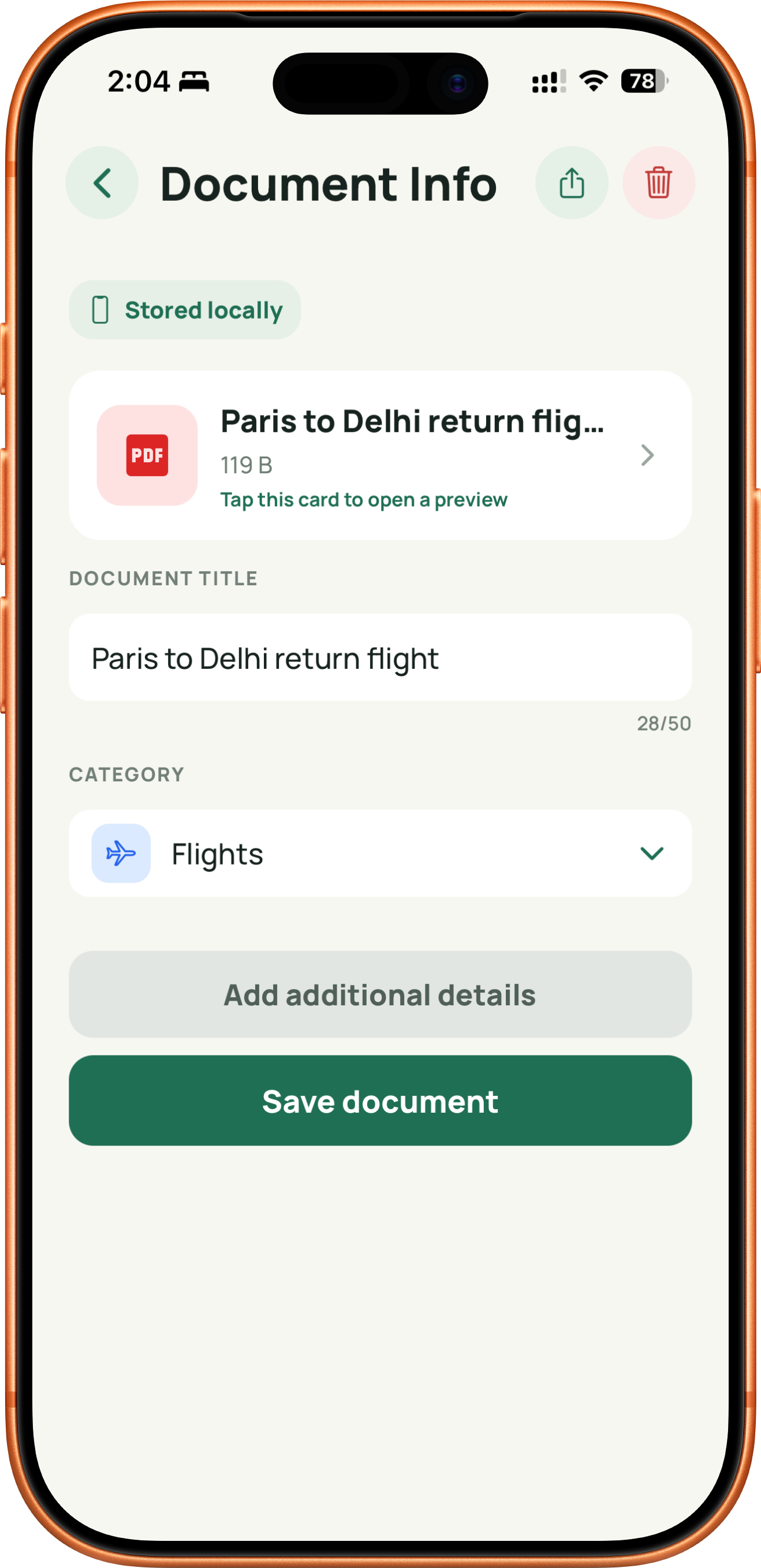
Add boarding passes, hotel confirmations, visas, insurance, and more from Photos, Files, or Camera. Save useful details such as booking IDs, addresses, dates, and categories.
YOUR PERSONAL VAULT
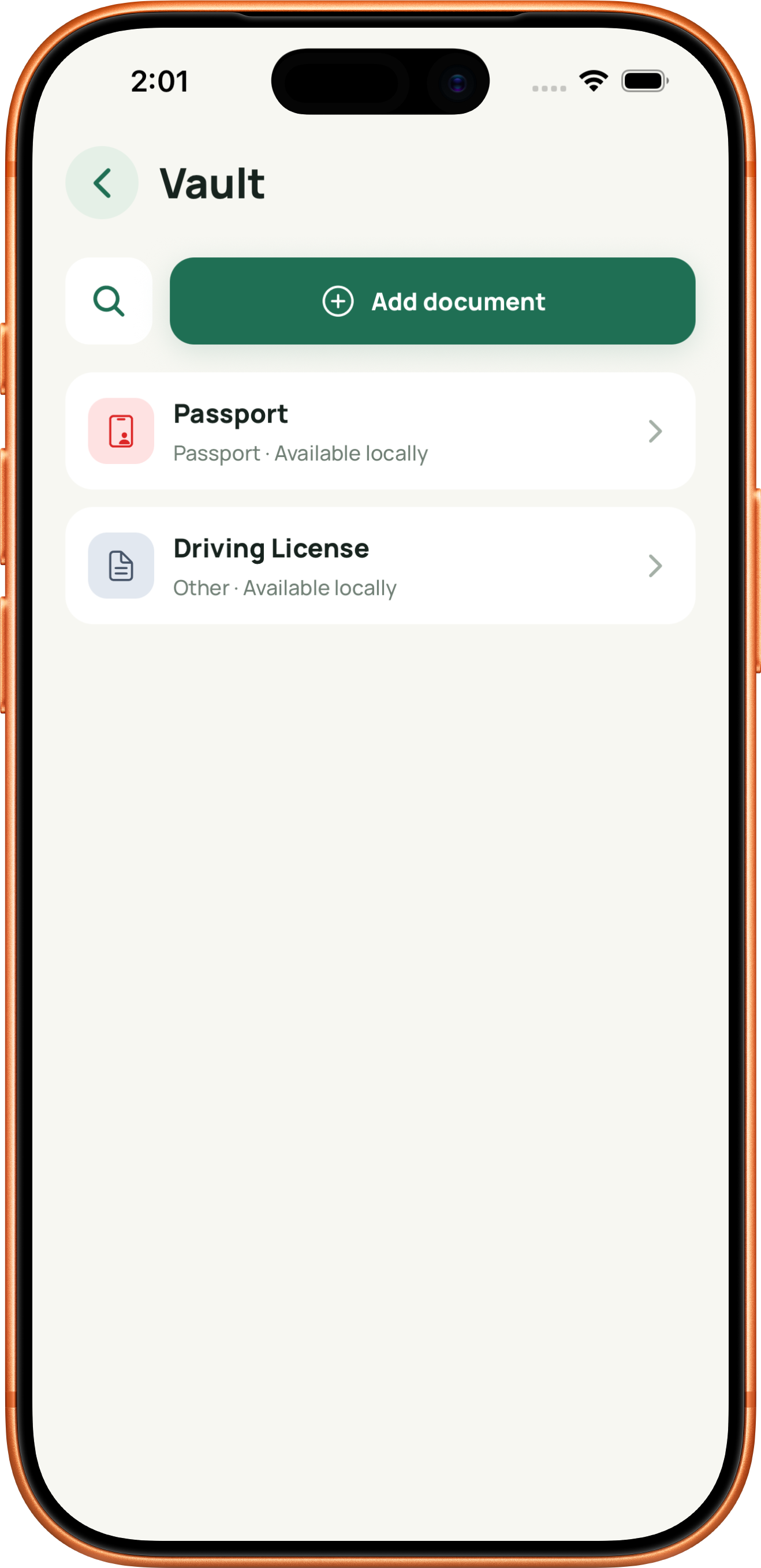
Vault is separate from any trip, so your passport, identity cards, driving licence, and other repeat-use files are always ready. Search Vault on its own or reuse documents in a trip.
SHARE TO TROVE
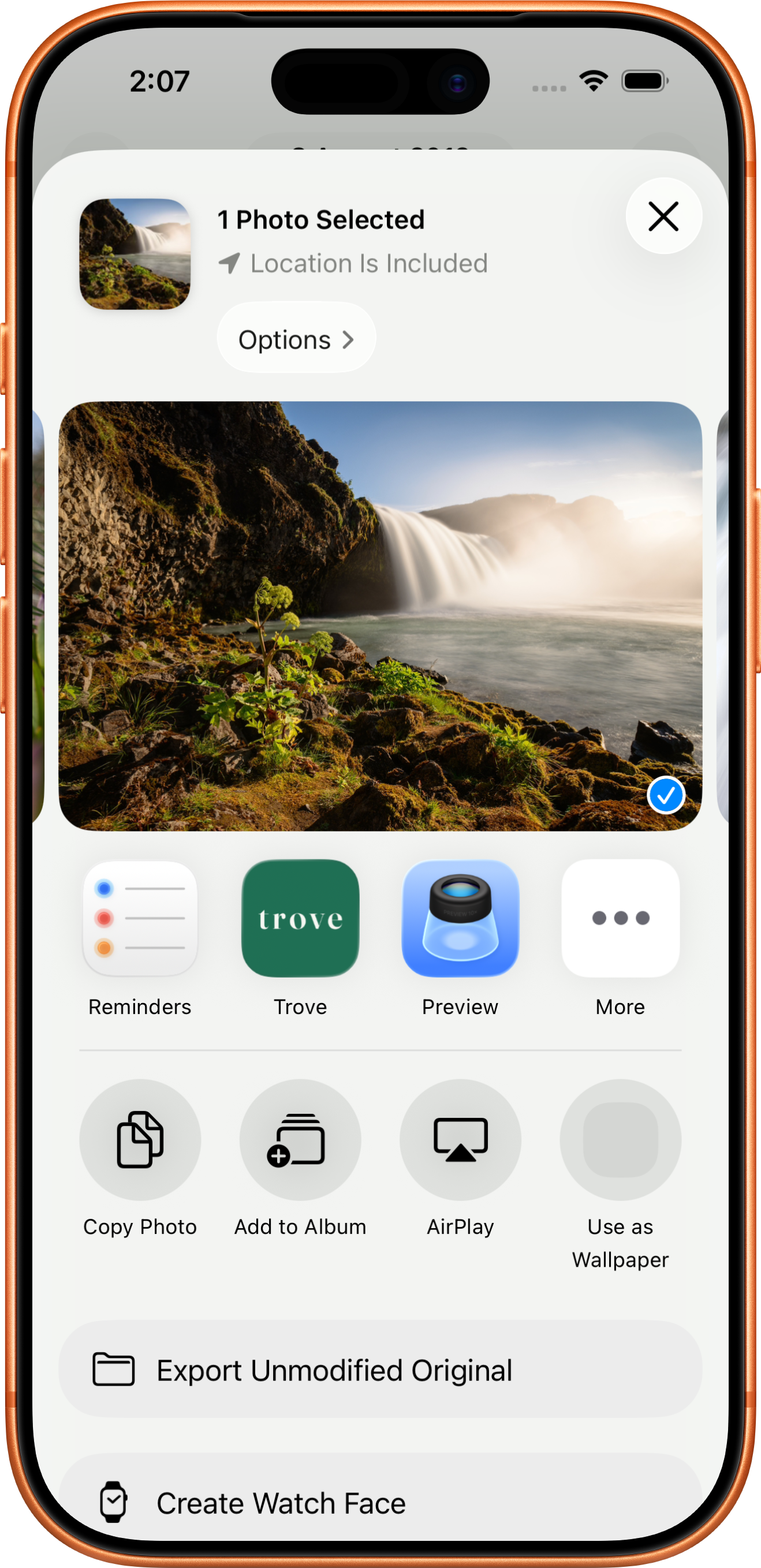
Use the system Share action in Photos or Files, choose Trove, select an active trip, and continue into the familiar document details flow. No need to hunt for a file again.
SEARCH
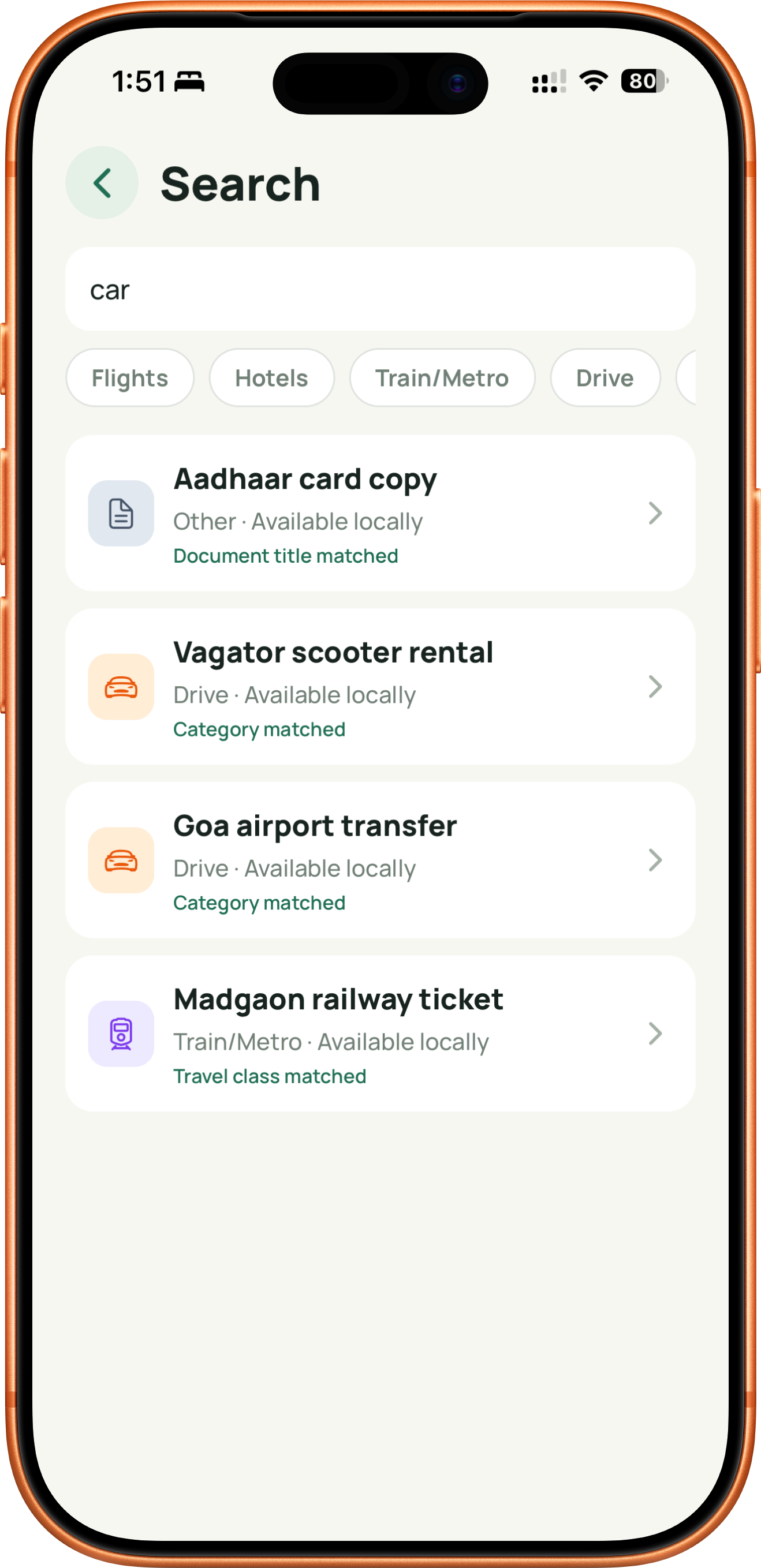
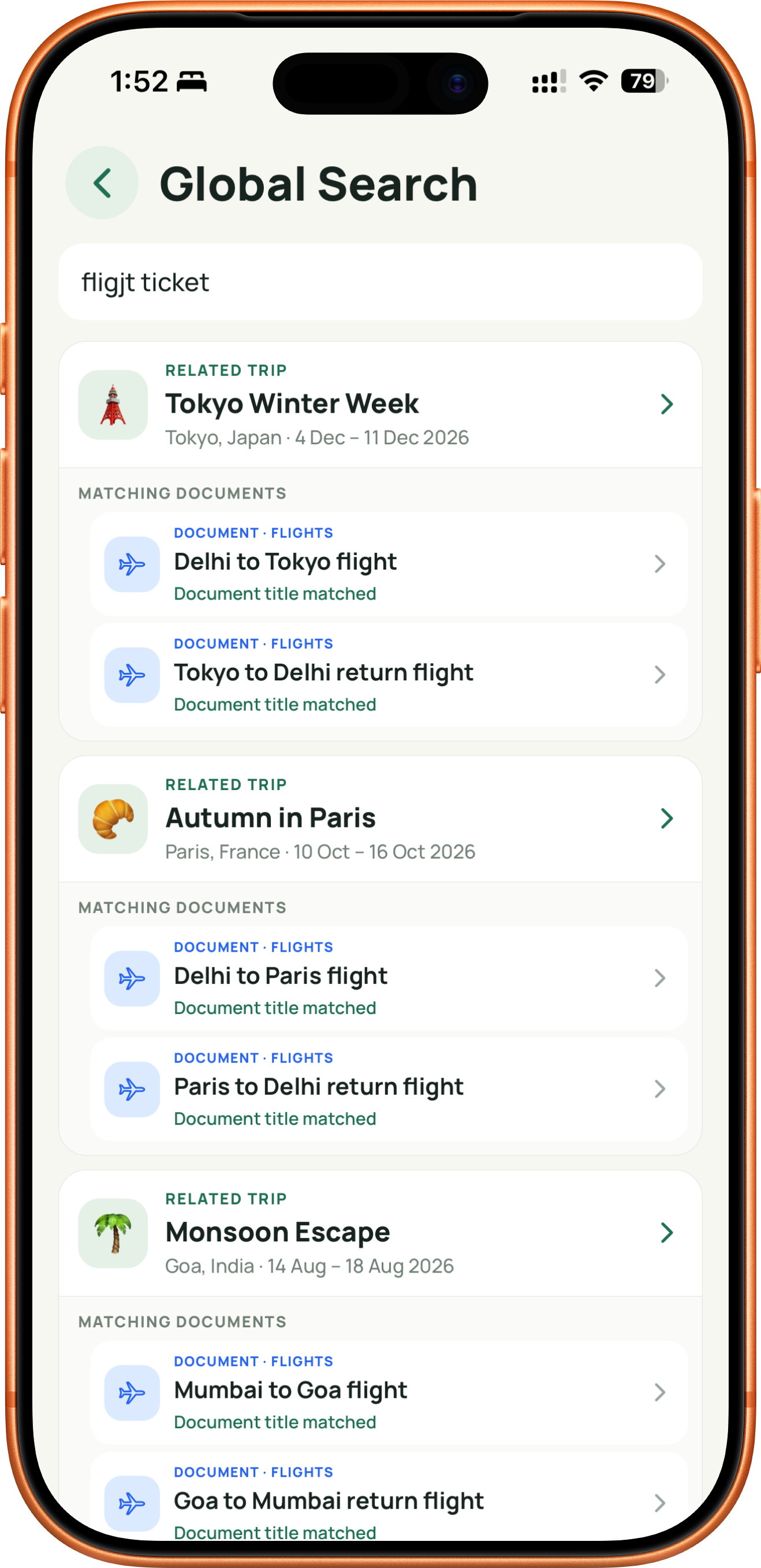
Search globally or within a trip or Vault. Trove matches trip names, locations, document titles, categories, booking IDs, and other saved details—all on your device.
Try it yourself: “fligit tecket” still finds the right flight tickets.
CHECKLISTS AND REMINDERS
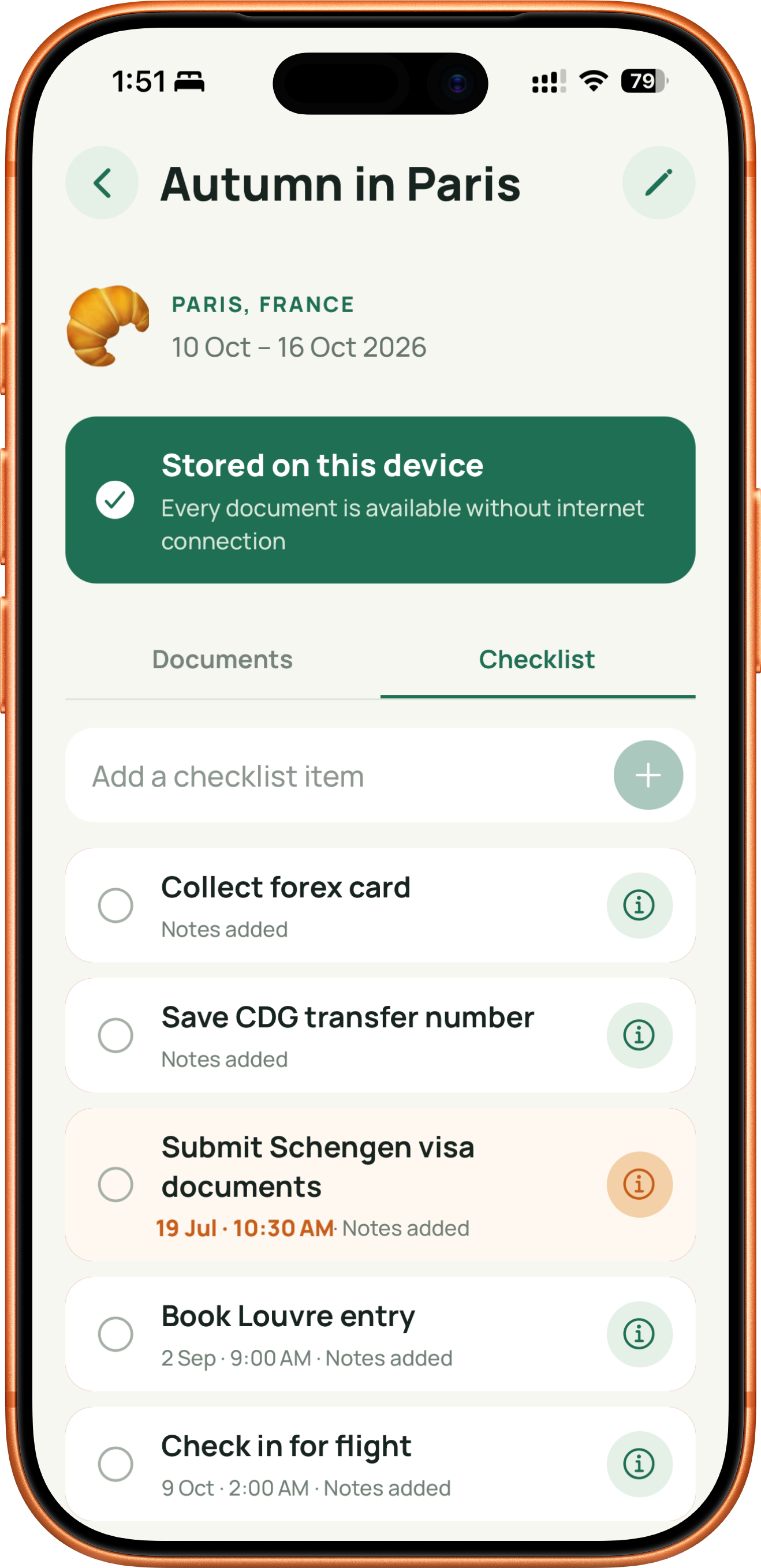
Add preparation tasks with notes, dates, and times. Optional local reminders open the related item, and dates stay within the trip’s end date.
TRAVEL BUCKET
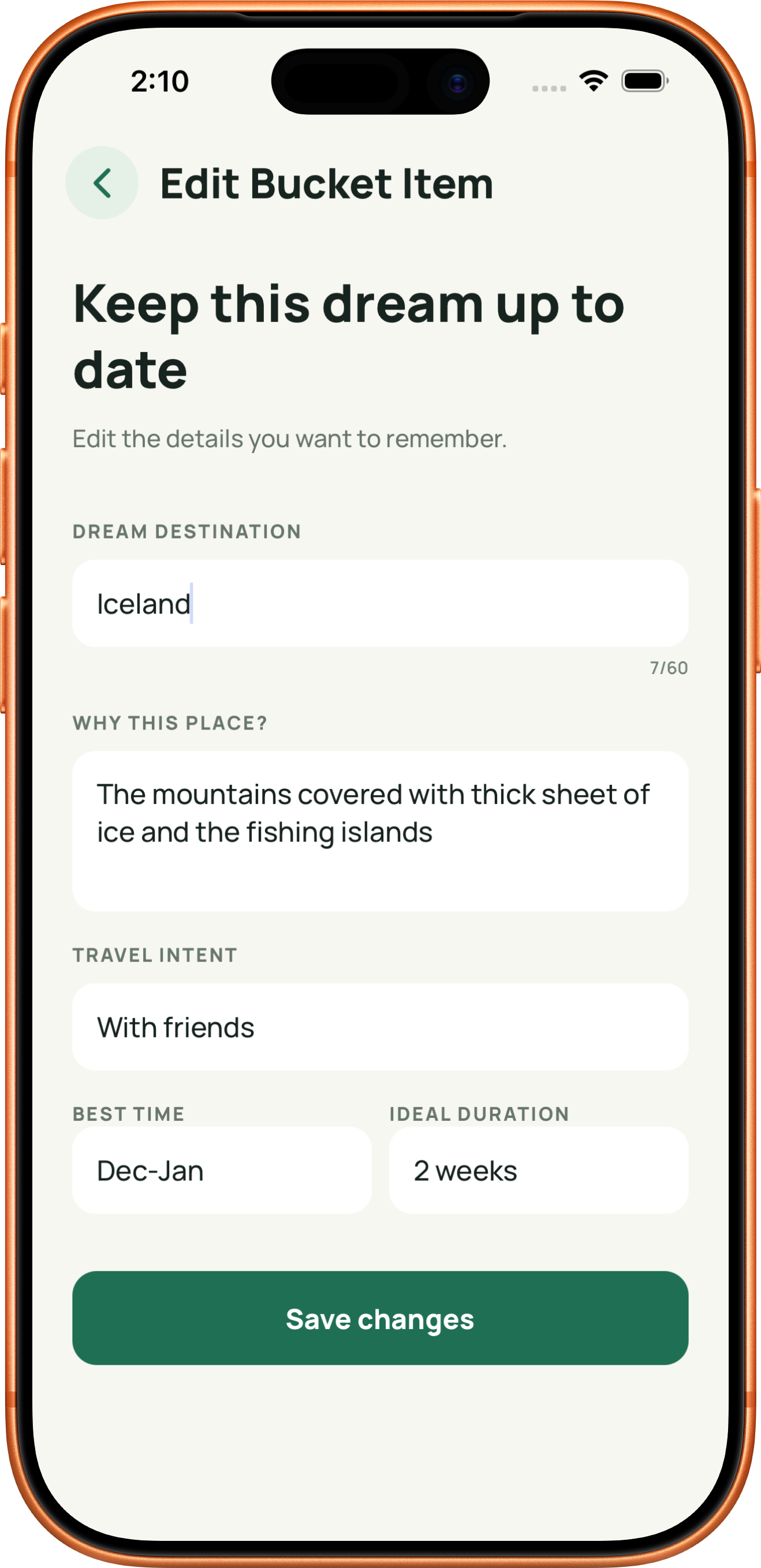
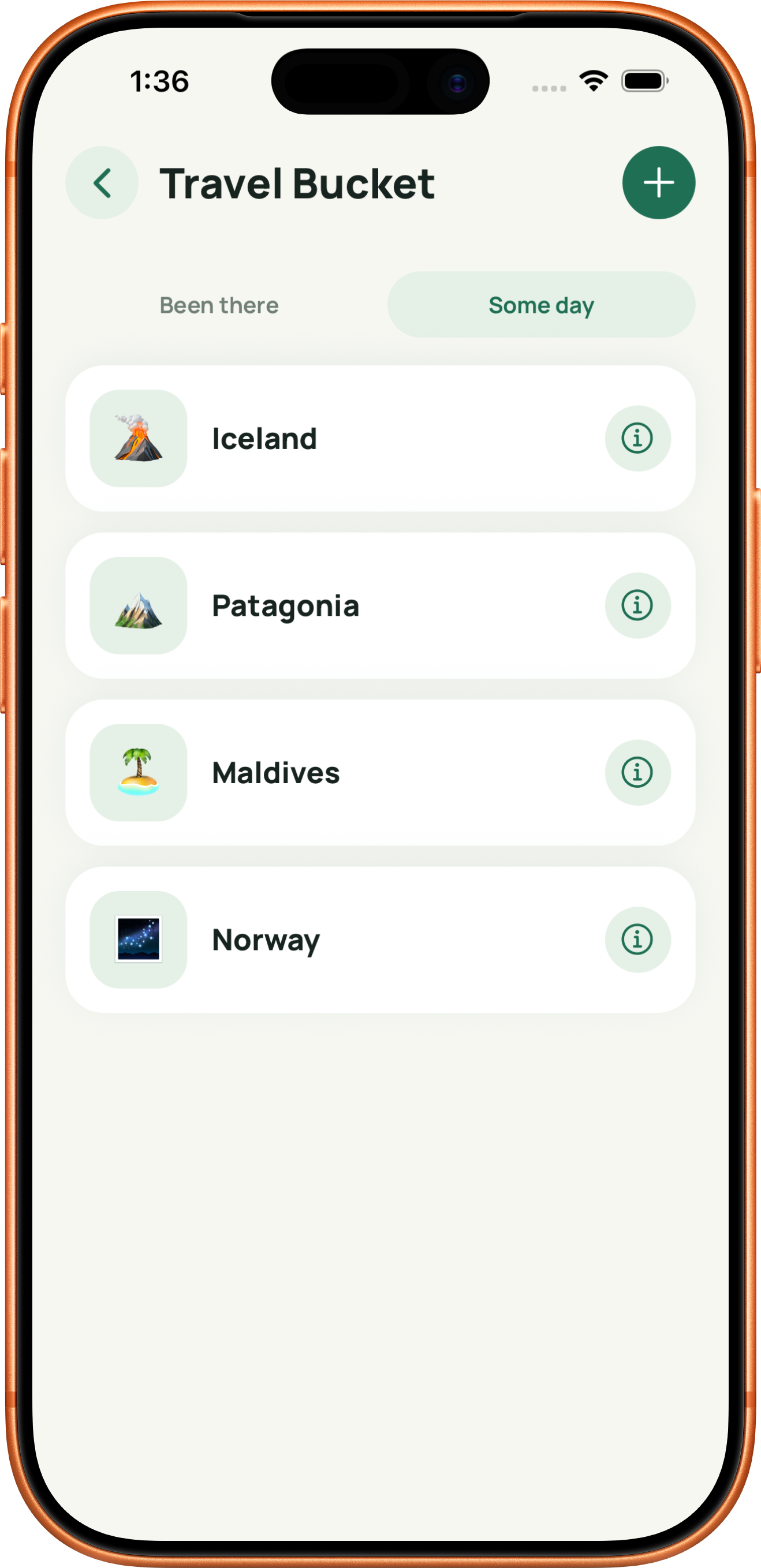
Save dream destinations with notes, travel intent, best time, ideal duration, and a chosen icon or image. Move completed places to Been There, or turn an idea into a pre-filled trip.
PRIVATE RECOVERY
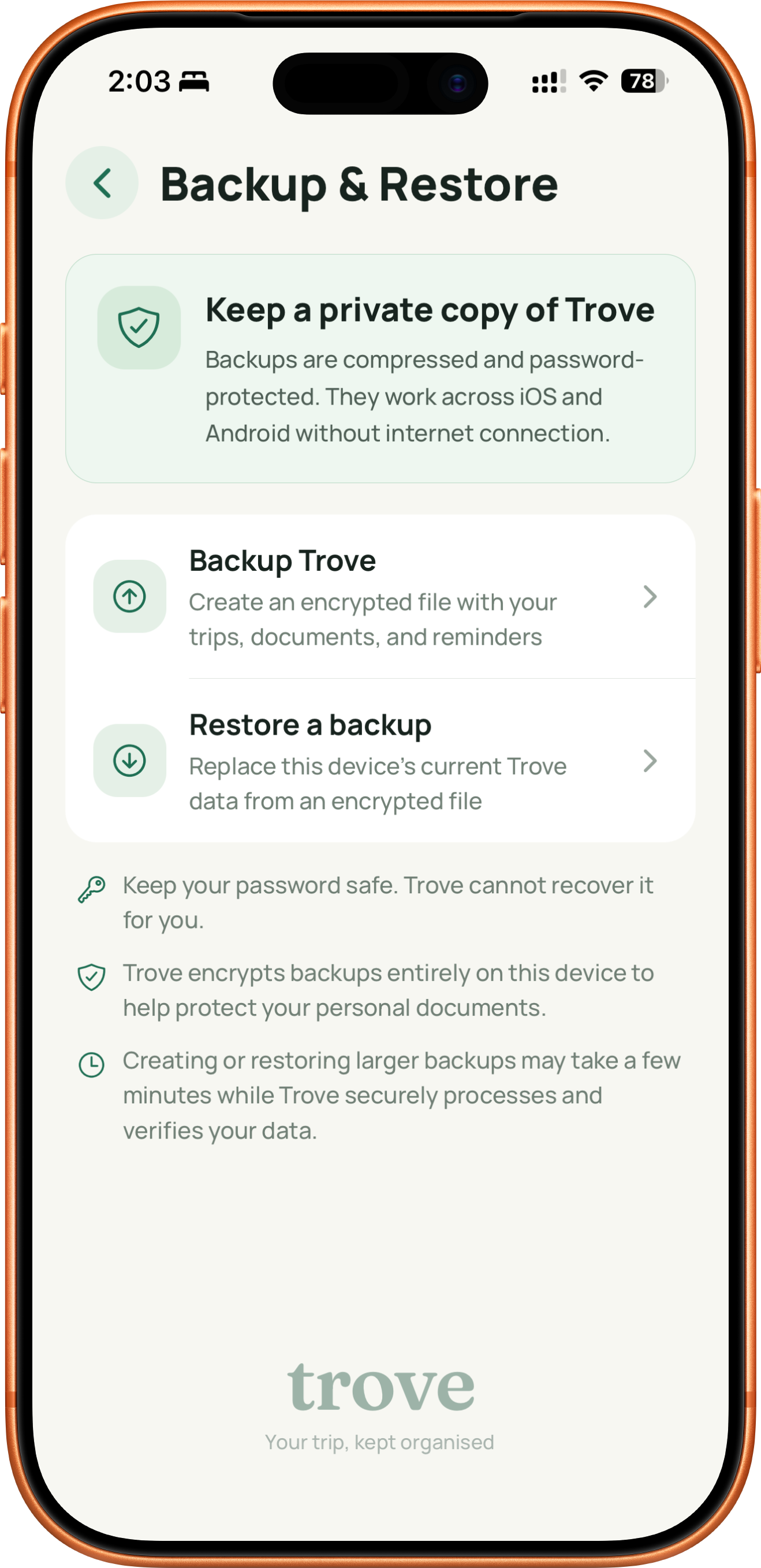
Create a compressed, password-protected backup in a location you choose. Trove does not keep your backup password, your library, or a cloud copy of your documents.
NOW ON THE APP STORE
Keep your trip details, docs, and checklists together—private, offline, and easy to find. Ready when you are.